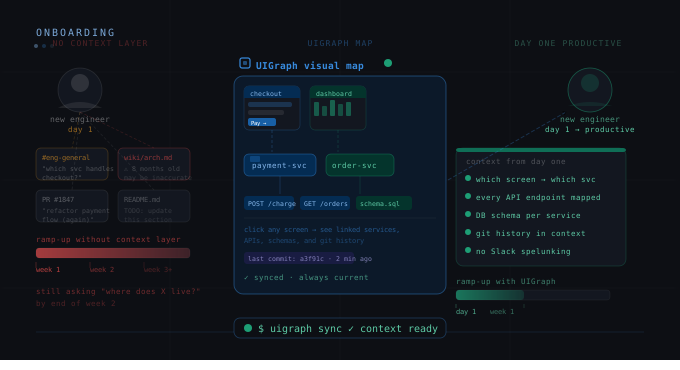
The standard engineering onboarding process at most companies goes like this: day one, you get laptop setup and access to all the tools. Day two, you read the engineering handbook. Days three through five, you try to understand the codebase. Week two, you ask a lot of Slack questions. Week three, you're told to "just start reading the code." Week six, you finally feel like you know what you're doing.
Six weeks of low productivity is expensive. At a fully-loaded cost of $200k/year for a mid-level engineer, that's roughly $23,000 in lost productivity per hire just from slow onboarding — before you account for the senior engineer time spent answering questions that good documentation would have answered.
The root cause is almost never that new engineers are slow. It's that the system knowledge they need is not in a form they can navigate efficiently. It lives in people's heads, in Slack threads, and in the code itself. There's no map.
What new engineers actually need to know
When a new backend engineer joins a product team, there's a specific set of knowledge they need to become productive:
-
What is the product? What does it do? What are the major features?
-
How is the system organized? What are the major services and what does each one do?
-
How do the features map to the services? Which services are involved when a user does X?
-
What APIs exist? What are the contracts? What are the error modes?
-
What does the data model look like? What tables exist, how are they related, who owns them?
-
Who owns what? Who do I ask about Service X? What Slack channel handles incidents for Service Y?
Notice that most of this is structural knowledge — the shape of the system — not deep technical implementation knowledge. That structural knowledge can be documented. It should be documented. In most engineering teams, it isn't.
The problem with code-first onboarding
"Just read the code" is the most common onboarding advice in engineering and the worst possible way to acquire structural knowledge about a system.
Code answers "how does this function work" extremely well. It answers "how does the checkout flow work end-to-end across six services" extremely poorly. Reading code to understand system structure is like reading individual sentences in a book to understand the plot — technically possible but deeply inefficient.
New engineers who are told to "read the code" spend weeks extracting structural knowledge that a visual system map would convey in minutes. Worse, they often extract it incorrectly — they see one path through the code and assume it's the whole picture. They miss the edge cases, the alternative flows, the services that get called in specific conditions.
What a UIGraph onboarding experience looks like
Let's make this concrete. A new frontend engineer joins the getorbis.io team. Their first task is to add a feature to the billing screen.
With UIGraph in place, day one looks like this:
They open the getorbis.io project Map. They see the major product areas — Billing, Authentication, Dashboard, Settings, Notifications. They click "Billing."
They're now in the Billing Map. They see four Frames: the billing overview screen, the payment setup screen, the invoice history screen, and the subscription management screen. They click on the payment setup screen because that's the one their feature touches.
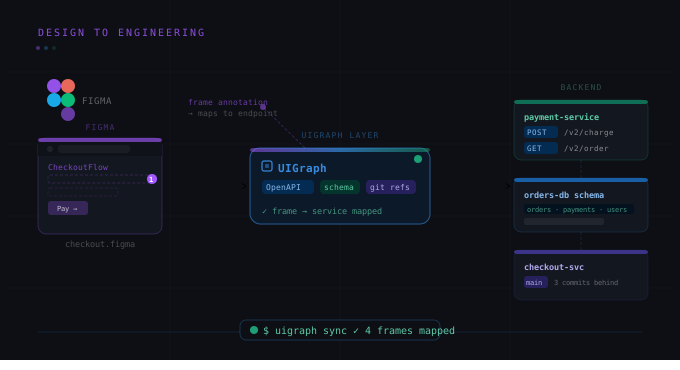
They can see the Figma screenshot of the payment setup screen as it exists in production. They click on the "Save Payment Method" button — the area their feature will modify. A panel slides open showing: the POST /billing/payment-methods API endpoint (with the full OpenAPI spec), the Payment Service (with team ownership, Slack channel, and repository link), the payment_methods PostgreSQL table (with schema), and the smoke test that covers this path.
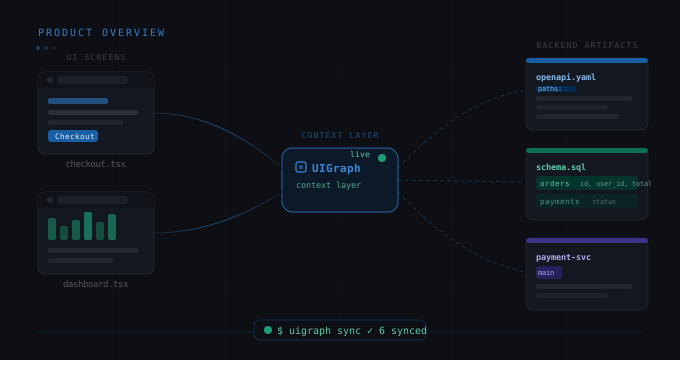
They click on the Payment Service link and see the service Map — the architecture diagram, the full API spec, the database schema, the test coverage, the team. They have a complete picture of what they're about to build on top of.
That's thirty minutes to understand the full technical context for their first task. Without UIGraph, that context would take a week of Slack messages and code reading to acquire.
The ROI calculation
Let's be direct about the numbers. A typical Series B engineering team:
-
Hires 15-20 engineers per year.
-
Has an average onboarding ramp-up of 4-6 weeks to first productive contribution.
-
Loses 2-3 hours per week of senior engineer time per new hire to onboarding questions.
If UIGraph cuts ramp-up time from 5 weeks to 2 weeks per hire (a conservative estimate based on the documentation gap it closes), and saves 2 hours/week of senior engineer time during that period, the math for 20 hires per year:
-
Productivity saved per hire: 3 weeks × (40 hours × $100/hr fully loaded) = $12,000
-
Senior engineer time saved per hire: 5 weeks × 2 hours × $150/hr = $1,500
-
Annual savings across 20 hires: ~$270,000
That's a rough calculation, not a guarantee. But the direction is clear: documentation that lets engineers self-serve answers to structural questions has significant financial value, and it scales with team size.
How to set up UIGraph for onboarding
The highest-value onboarding setup has three components:
1. A platform-level Map
A top-level Map showing the major product areas with a high-level architecture diagram. Each major service is a Map Point linking to its detailed service Map. This is the "you are here" map that orients a new engineer before they start navigating.
2. Feature-level Maps for the most common flows
For the flows that new engineers most commonly need to understand — checkout, authentication, user creation, the core product loop — create dedicated feature Maps with UI screens, Points connecting to the APIs and services involved, and explicit documentation of the cross-service interactions.
3. Service-level Maps synced from repos
Each service has its own Map, updated automatically by the CLI on every deploy. New engineers can look up any service and see its current API spec, schema, ownership metadata, and test coverage without asking anyone.
The investment to set this up for a 20-service system is roughly 2-3 days of engineering time. The payback period is typically the first two or three new hires.