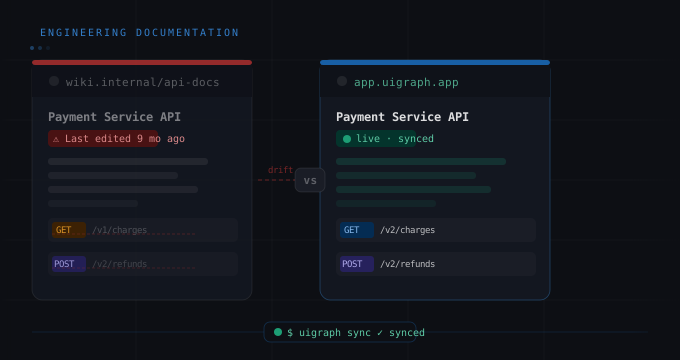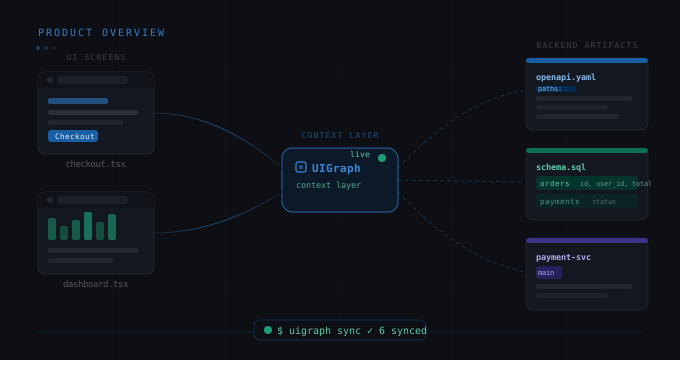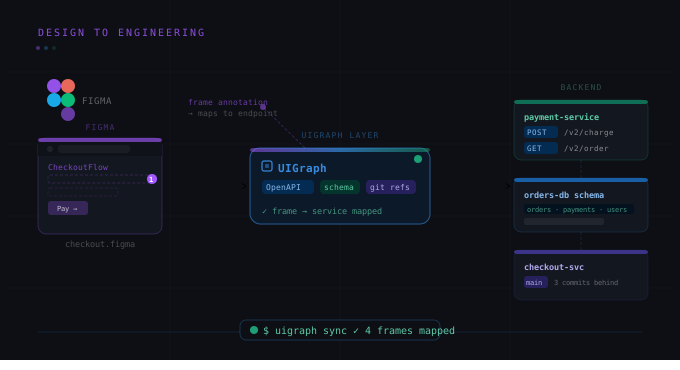
The single biggest problem with engineering documentation isn't that engineers don't write it. It's that there's no mechanism to keep it true after it's written. You write the docs, you ship a feature, the docs are wrong. Not because you forgot to update them — because the feedback loop doesn't exist.
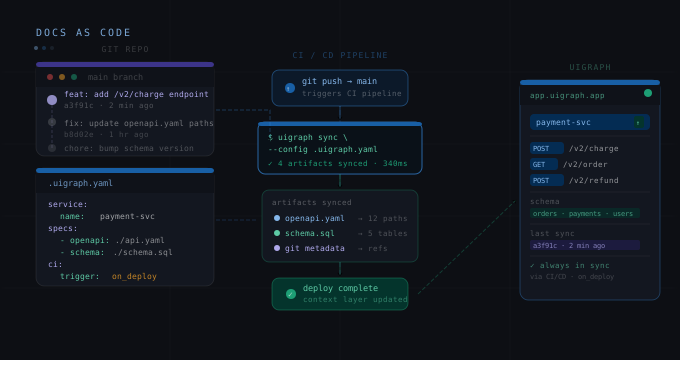
The UIGraph CLI exists to close that loop. It's a command-line tool that reads a .uigraph.yaml configuration file from your repository and syncs your service metadata, API specs, architecture diagrams, test packs, and database schemas to UIGraph on every deploy. Documentation as code. Zero manual updates.
This post covers the full setup: the config file format, what each field does, CI integration, and the dry-run workflow for validating before you go live.
What the CLI syncs
From a single .uigraph.yaml file, one uigraph-cli sync command can push:
-
Service metadata: name, category, description, repository URL, team ownership, labels, and integrations (Slack, Jira).
-
API specs: OpenAPI 3.x YAML or JSON files from anywhere in your repo.
-
Architecture diagrams: Mermaid .mmd files with optional context JSON.
-
Test packs: structured test case metadata (API tests with operationId, expected status codes, request templates).
-
Database schemas: SQL files for PostgreSQL, MySQL, and SQLite; JSON for NoSQL and DynamoDB.
The sync is incremental — it pushes only what's changed since the last run, so it's fast even on large repos.
Installation
npm install -g @uigraph/cli
# Verify
uigraph --version
Authentication
The CLI authenticates via an environment variable. Generate a token in the UIGraph web interface under Settings → API Tokens, then:
export UIGRAPH_TOKEN=your-token-here
# Or add to .env (not committed to Git)
echo "UIGRAPH_TOKEN=your-token-here" >> .env
In CI, store this as a secret (GitHub Actions: secrets.UIGRAPH_TOKEN).
The .uigraph.yaml structure
Here's a complete .uigraph.yaml for the getorbis.io Notification Service, annotated:
version: 1
# Project groups multiple services together in UIGraph
project:
  name: getorbis
  environment: production
# Service metadata — what this repository represents
service:
  name: Notification Service
  category: Backend
  description: Handles email, SMS, and in-app notifications
  repository:
    provider: github
    url: https://github.com/getorbis/notification-service
  ownership:
    team: platform
    email: platform@getorbis.io
  labels:
    - messaging
    - platform
  integrations:
    slack:
      url: https://getorbis.slack.com/archives/C-NOTIF
    jira:
      url: https://getorbis.atlassian.net/browse/NOTIF
# OpenAPI specs — one or more, relative paths from repo root
apis:
  - name: notification-api
    type: openapi
    path: ./openapi.yaml
# Mermaid architecture diagrams
architectureDiagrams:
  - name: Notification Architecture
    path: ./docs/architecture.mmd
    contextPath: ./docs/architecture-context.json
# Test cases for smoke and integration coverage
testPacks:
  - name: notification-smoke
    type: smoke
    testCases:
      - type: api
        title: send-email returns 202
        order: 1
        operationId: sendEmail
        expectedStatusCode: 202
        requestTemplate: '{"to": "user@test.com", "template": "welcome"}'
        isCritical: true
      - type: api
        title: get-notification-status returns 200
        order: 2
        operationId: getNotificationStatus
        expectedStatusCode: 200
        isCritical: false
# Database schema
databases:
  - name: Notifications PostgreSQL
    dbType: PostgreSQL
    dialect: postgres
    schemaPath: ./schema.sql
Running a sync
Validate first with --dry-run. This prints what would be sent without actually sending anything — useful when setting up for the first time or debugging:
uigraph sync --dry-runOnce you're happy with the output, run the real sync:
uigraph syncBoth commands default to .uigraph.yaml in the current directory. Override with --config:
uigraph sync --config ./infra/uigraph.yamlCI/CD integration
The goal is to run uigraph-cli sync automatically on every merge to main. Here's a complete GitHub Actions workflow:
name: UIGraph Sync
on:
  push:
    branches: [main]
jobs:
  sync:
    runs-on: ubuntu-latest
    name: Sync service docs to UIGraph
    steps:
      - name: Checkout
        uses: actions/checkout@v3
      - name: Setup Node
        uses: actions/setup-node@v3
        with:
          node-version: 18
      - name: Install UIGraph CLI
        run: npm install -g @uigraph/cli
      - name: Sync to UIGraph
        run: uigraph-cli sync
        env:
          UIGRAPH_TOKEN: ${{ secrets.UIGRAPH_TOKEN }}
For GitLab CI:
uigraph-sync:
  stage: deploy
  only:
    - main
  script:
    - npm install -g @uigraph/cli
    - uigraph-cli sync
  variables:
    UIGRAPH_TOKEN: $UIGRAPH_TOKEN
Monorepo setup
For monorepos with multiple services, you have two options.
Option A: one .uigraph.yaml per service directory, each with its own sync step in CI:
uigraph sync --config ./services/payments/.uigraph.yaml
uigraph sync --config ./services/notifications/.uigraph.yaml
uigraph sync --config ./services/users/.uigraph.yaml
Option B: a single .uigraph.yaml at the repo root that references paths across services. This works if all services share the same project and team ownership metadata. Individual API and schema paths can still point to service subdirectories.
What changes when you have this running
The shift is subtle until you've experienced it. When docs sync automatically, the conversation about documentation changes from "we should update the docs" to "the docs are updated — what are they telling us?"
When an engineer opens the getorbis.io Notification Service Map on a Monday morning after a Friday deploy, they're not looking at documentation from three weeks ago. They're looking at the current OpenAPI spec, the current schema, the current test coverage — exactly as it exists in the main branch right now.
That's the difference between documentation as a work item and documentation as infrastructure.