Every screen, connectedto the system behind it.
Link buttons, forms, and other parts of your product screens to APIs, services, tests, and owners. Select an area to explore how it works and the context behind it.
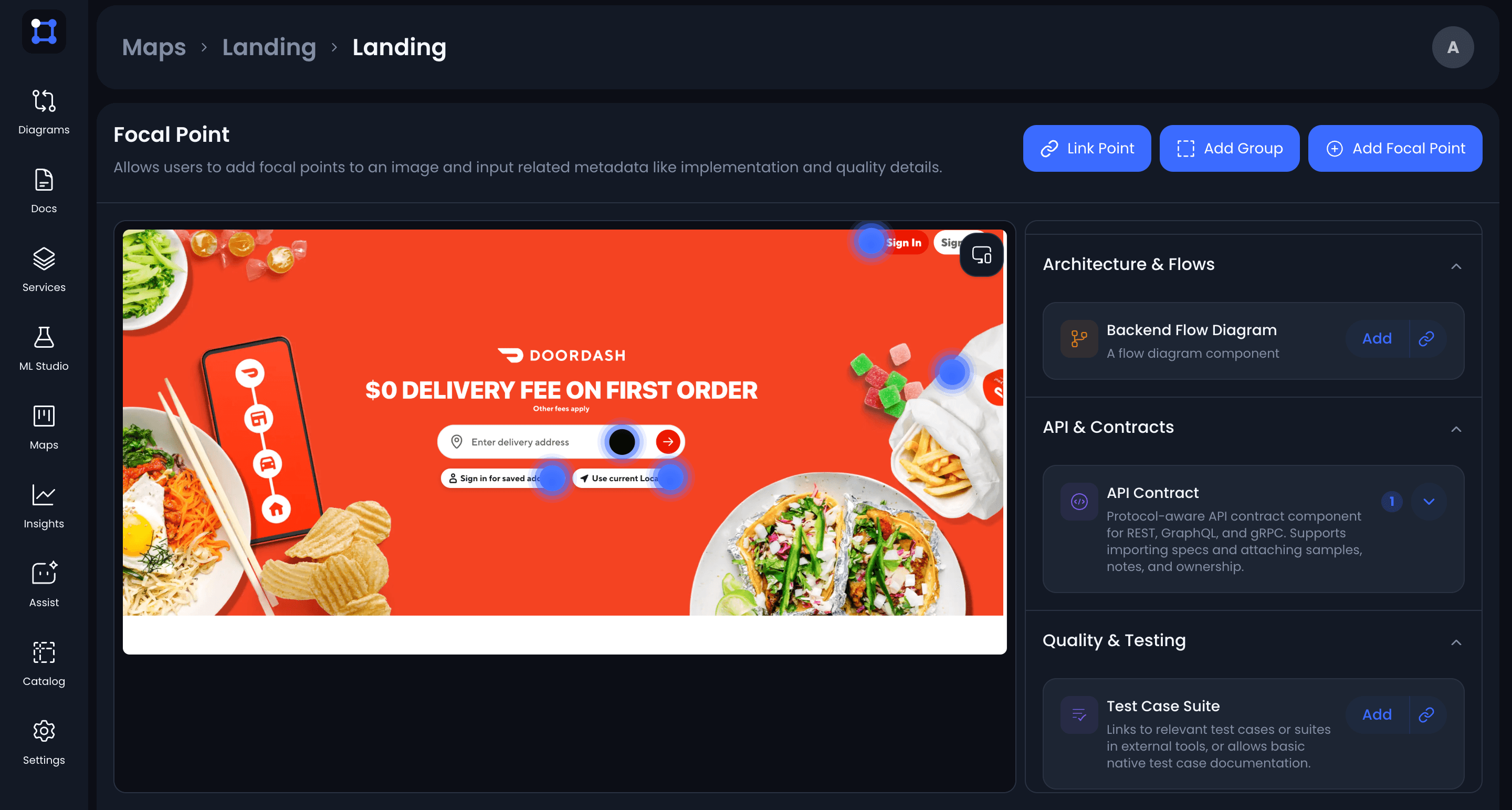
Explore your product flows.
Bring your product screens and the engineering context behind them into one map.
01
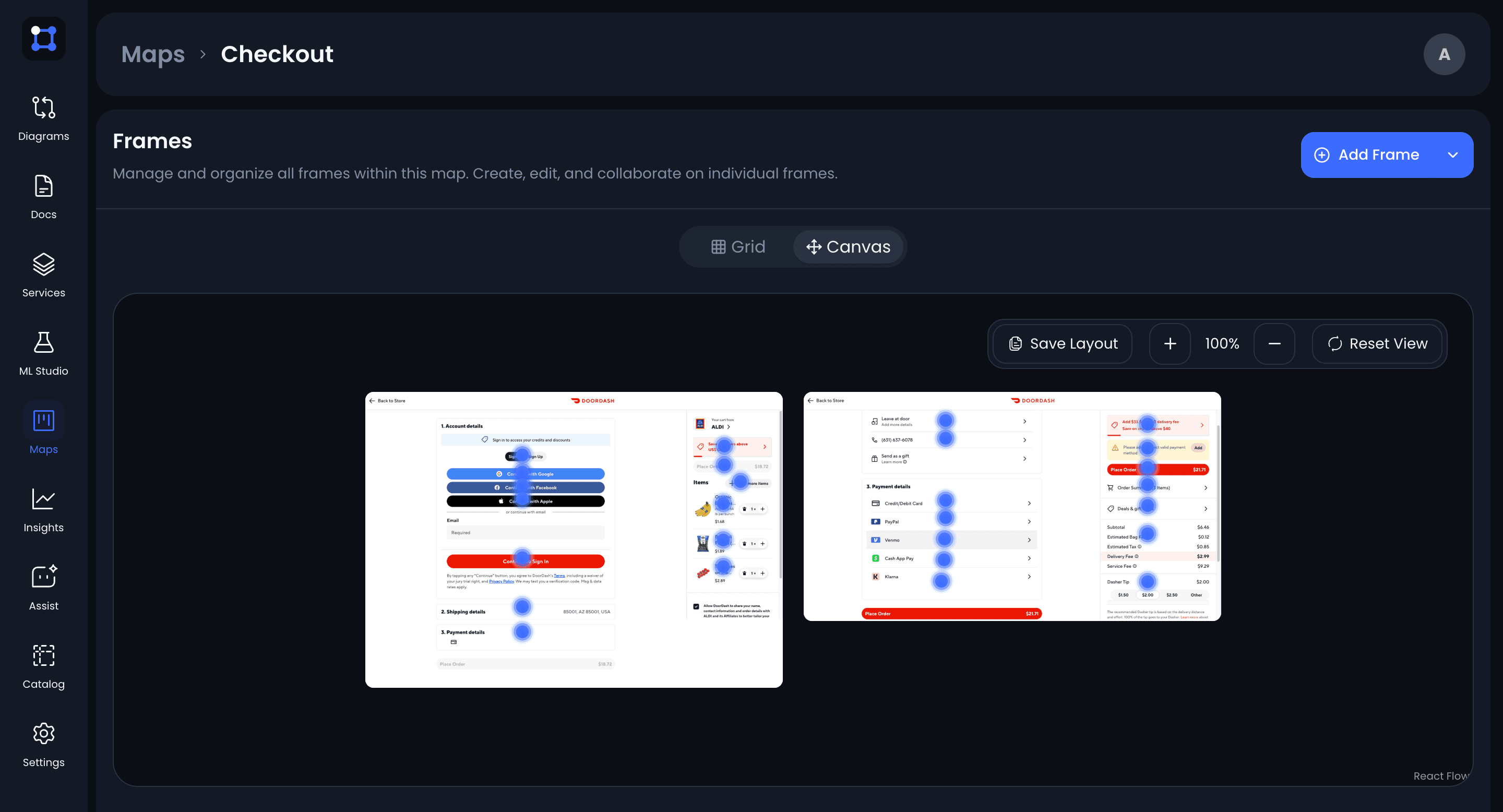
Start with your screens
Upload screenshots to build a map of a feature or flow. Group related screens and their different states so they’re easy to explore together.
02
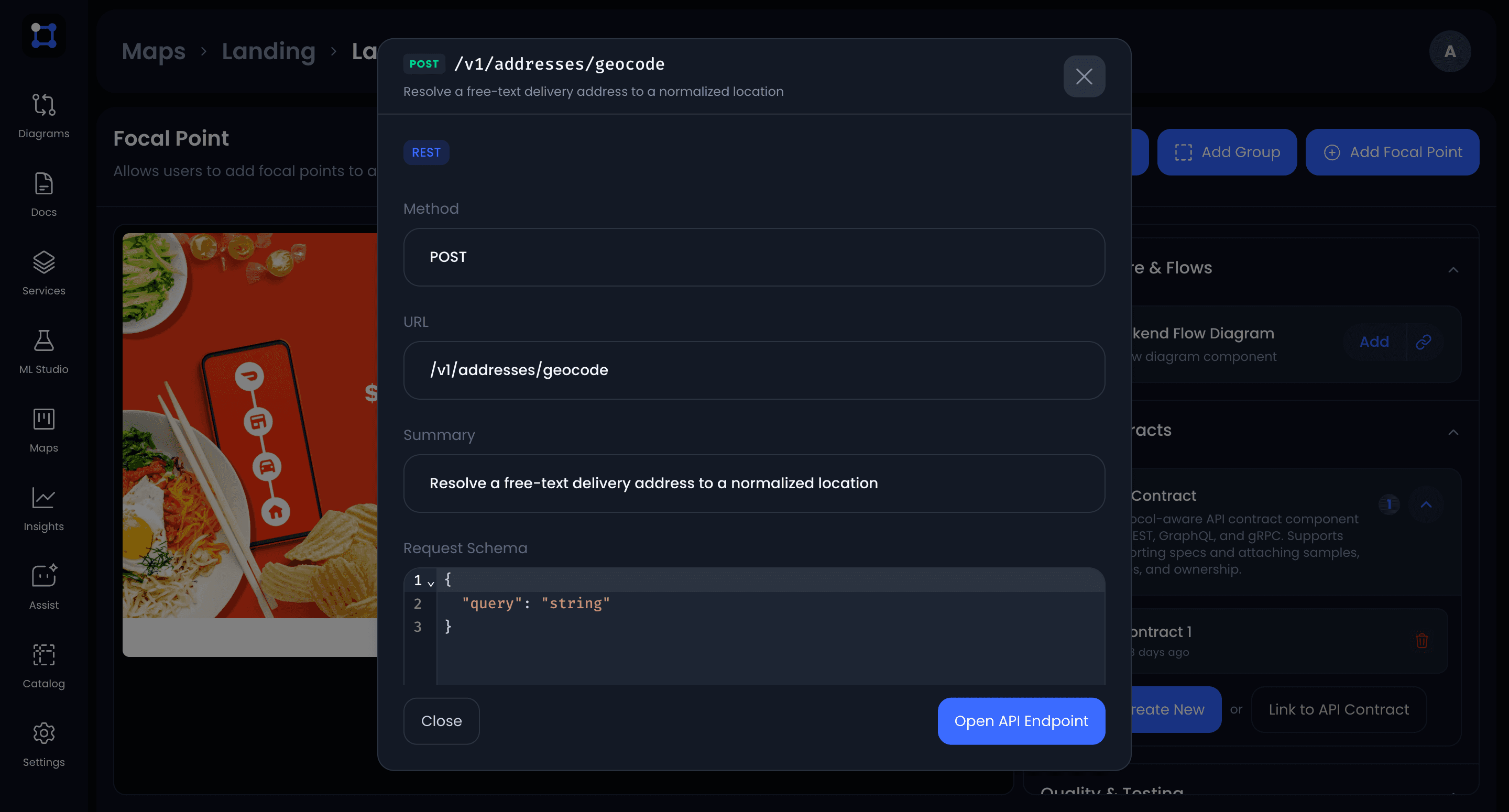
Connect screens to their engineering context
Add a focal point, a marker on a button, form, or other part of a screen. Link it to APIs, services, diagrams, tests, owners, or related maps. Select the marker to explore the context behind that part of the screen.
03
Create in the app or sync from your repo
Build maps directly in UIGraph, or define your screens and focal points in a UIGraph YAML file and sync using the CLI. Add the sync command to your CI/CD pipeline to automate updates.
maps:
  - name: Checkout
    frames:
      - name: Cart
        image: designs/cart.png
        focalPoints:
          - name: Apply promo code
            service: cart-service
            api: POST /v1/cart/promo
      - name: Payment
        image: designs/payment.png
Your next map
starts here.
Bring your screens and their engineering context into one place your team can explore.