Most teams document their services one at a time. A README here, an API spec there, a diagram someone drew in Miro. Each piece is useful. None of them shows how the services work together.
That gap is the microservices documentation problem. It is not a discipline problem or a culture problem. It is a structural problem. Text-based documentation does not scale with the complexity of distributed systems, and no manual process survives a team shipping across many services at once.
The short answer: Keep diagrams, API specs, and schemas in each repo. Keep ownership details in a YAML file next to the code. Then use one place that reads all of it and shows how your services connect. UIGraph does this. It reads the diagrams and specs you keep in your repos, including C4, sequence, flow, and Mermaid diagrams. Its CLI syncs them in CI, so the map updates each time the pipeline runs.
Why documenting individual services isn't enough
With a monolith, documentation can live in the codebase. It is all in one repo, one language, one deployment unit. You can point someone at the code and the context is local.
Microservices distribute that context. Each service has its own repo, schema, API spec, team, and deployment cadence. The behavior that matters often spans multiple services, and no single repo captures the complete picture.
Four things tend to go wrong:
-
The "galaxy brain" diagram. One big diagram of boxes and arrows. It was accurate on the day it was made and has been drifting ever since. It shows that services exist, but not what happens when a user clicks "Place Order."
-
Isolated service documentation. An OpenAPI spec or README explains one service but not how it connects to others. Engineers on the Notification Service should not have to read the Order Service README to learn that order events trigger them.
-
No link between the UI and the backend. Product teams think in features. Engineers think in services. The connection between them lives in people's heads and leaves when they do.
-
Unclear ownership. With team rotations and reorgs, who owns what gets blurry fast. Who do you Slack about an API change in Service G?
What you need to document
-
Service dependencies: Which services communicate with each other.
-
API interactions: Which endpoints are called and by which services.
-
Event-driven communication: What events are published and which services consume them.
-
Data ownership and flows: Which service owns the data and how it moves between services.
-
Ownership: The responsible team, email, Slack channel, and Jira board.
Choose the right diagram
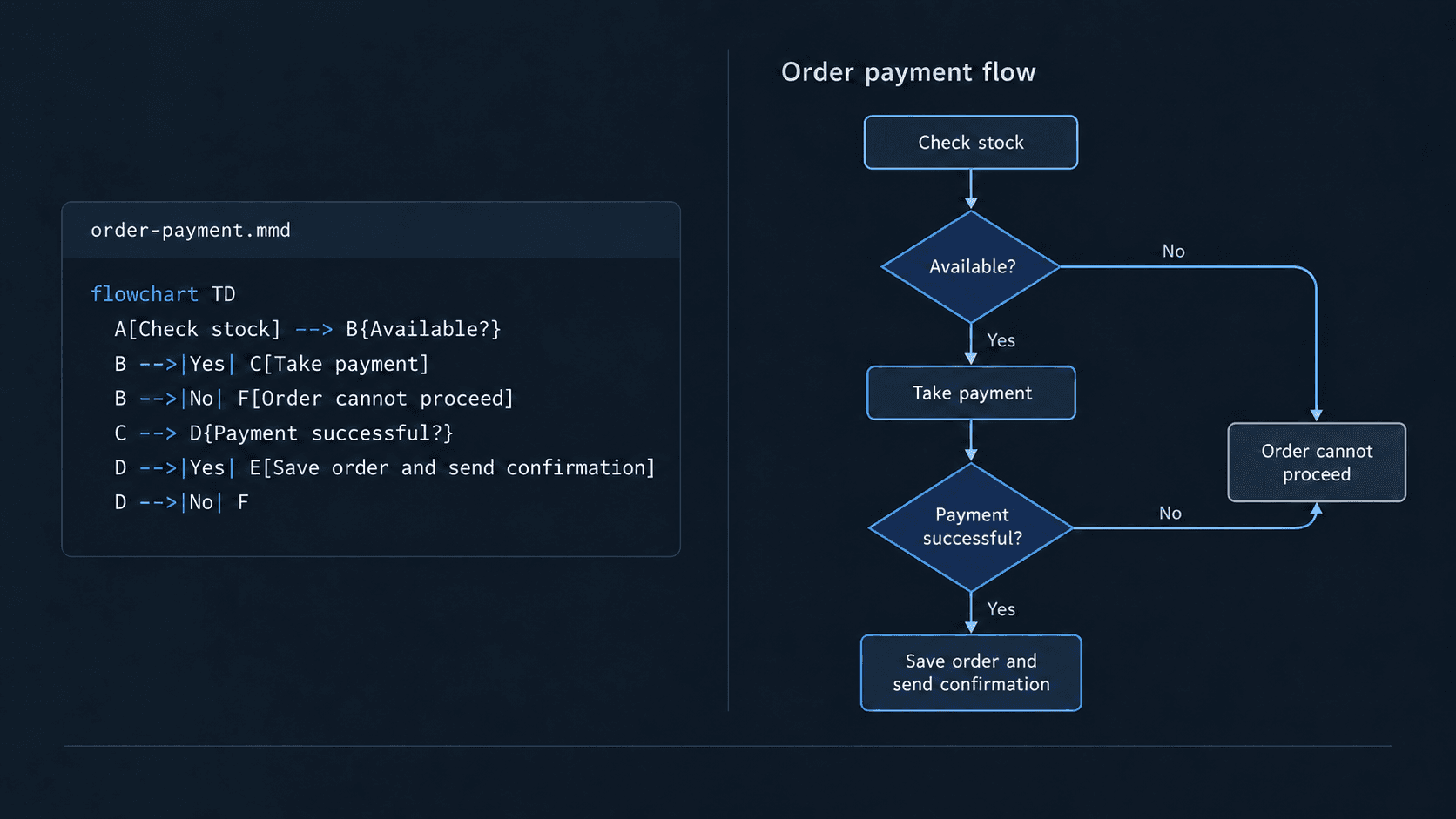
Choose diagrams based on what you want to explain. Text-based formats like Mermaid are useful because diagrams can live in your repository and be reviewed alongside code changes. Mermaid diagrams also render directly in GitHub.
-
C4 diagrams for service relationships. Container diagrams show the services in your system and how they relate to one another.
-
Sequence diagrams for request flows. They show the order of interactions between services during a particular operation.
-
Flow diagrams for event-driven interactions. They show how events and information move between services.
-
SQL diagrams for database structure. They show tables, columns, and relationships.
Keep documentation alongside your code
Store diagrams, API specs, and schemas in their respective repositories. This keeps documentation close to the code it describes, where changes can be versioned and reviewed through pull requests.
Service metadata belongs in the repository too, rather than in a separate wiki that someone has to remember to update. In UIGraph, it lives in a .uigraph.yaml file:
service:
  name: Order Service
  category: Backend
  description: Order lifecycle management
  ownership:
    team: commerce
    email: commerce@example.com
  integrations:
    slack:
      url: https://example.slack.com/archives/C-ORDERS
    jira:
      url: https://example.atlassian.net/browse/ORDERS
When ownership changes, the engineer updates the YAML as part of the handoff. The updated metadata can then be synchronized to UIGraph using the CLI.
Connect documentation across repositories
Keeping documentation in individual repositories makes it easier to maintain, but engineers still need a way to understand how the services and their documentation relate to one another.
UIGraph brings these artifacts together so engineers can explore service relationships, navigate between related documentation, and understand how different parts of the system fit together.
For example, teams can:
-
Explore service relationships. View how services depend on one another and navigate to their related APIs, schemas, and diagrams.
-
Connect related artifacts. Link API specifications, database schemas, architecture diagrams, and test packs so engineers can move between them without searching across repositories.
-
Organize context around features. Connect the UI screens, services, and engineering artifacts involved in a feature such as checkout.
Example: Exploring a service and its dependencies
Consider an auth-service in a microservices system. An engineer investigating this service needs more than its README or API specification. They need to understand what the service does, which other services it depends on, what APIs it exposes, and who owns it.
In UIGraph, the Service Catalog brings this information together.
An engineer exploring the auth-service can:
-
Review its APIs: Browse the available endpoints and inspect their specifications, request bodies, and responses.
-
Understand dependencies: See which services it depends on, including required and optional dependencies.
-
Explore its architecture: Follow the internal components and interactions that make up the service.
-
Inspect its data: Understand the schemas and database structures associated with it.
-
Find ownership: Identify the responsible team and its contact information.
Instead of jumping between repositories, API specifications, diagrams, and team documentation, engineers can explore these related details from the service itself and follow its dependencies to understand how it fits into the larger system.
This is especially useful when onboarding to an unfamiliar service, investigating an issue, or assessing the impact of a change.
How AI agents can use connected engineering context
AI coding agents often work within a single repository. They may not have the context to understand how that code connects to other services.
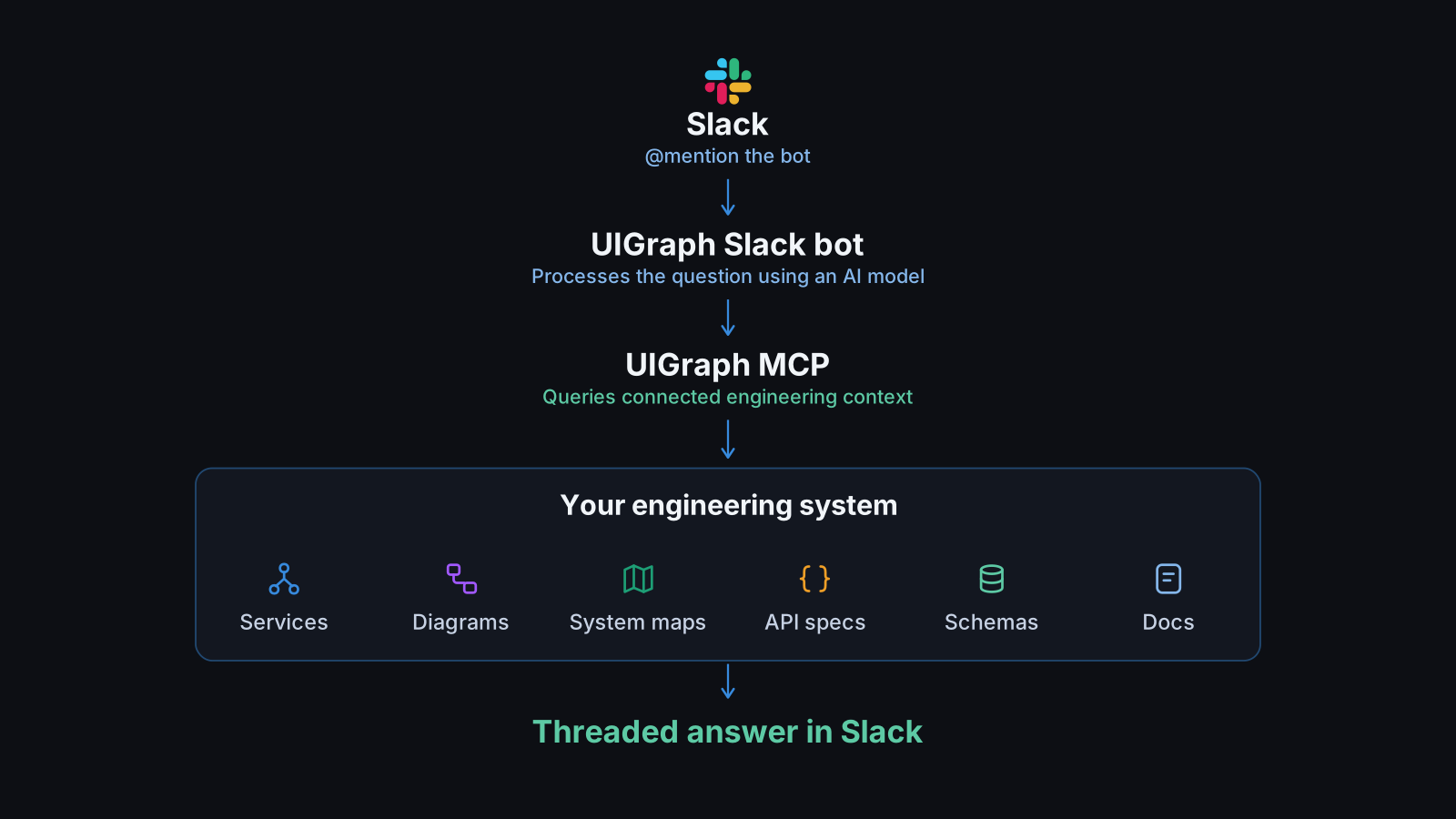
UIGraph makes engineering context available to AI agents through MCP. An agent can retrieve information across services, such as service dependencies, API specifications, and ownership details, rather than relying only on the repository it is working in.
This gives agents a broader understanding of the system when investigating issues, tracing dependencies, or making changes that involve multiple services.