A new engineer may get the software running and still have questions about what it does, who owns it, and why it works that way.
System documentation helps answer those questions.
Some knowledge is in guides and runbooks. Some is in diagrams, API specs, and schemas. Some still lives in conversations with the people who built the system. When that knowledge lives only in someone’s head, others have to find the right person and ask.
What should you document?
Start with the questions people ask when they work on your system.
- What does it do? Explain its purpose and the responsibilities of its main parts.
- How does it work? Show important flows, dependencies, and connections to other systems.
- What happens to the data? Describe the interfaces, where data is stored, and how it is used.
- Who looks after it? Include ownership and links to deployment and troubleshooting guides.
- Why was it built this way? Record decisions, tradeoffs, and limitations that are hard to understand from the code alone.
These details do not need to live in one long document. An overview with links to the right places is often more useful.
Help people follow the connections
Imagine someone investigating a failed payment.
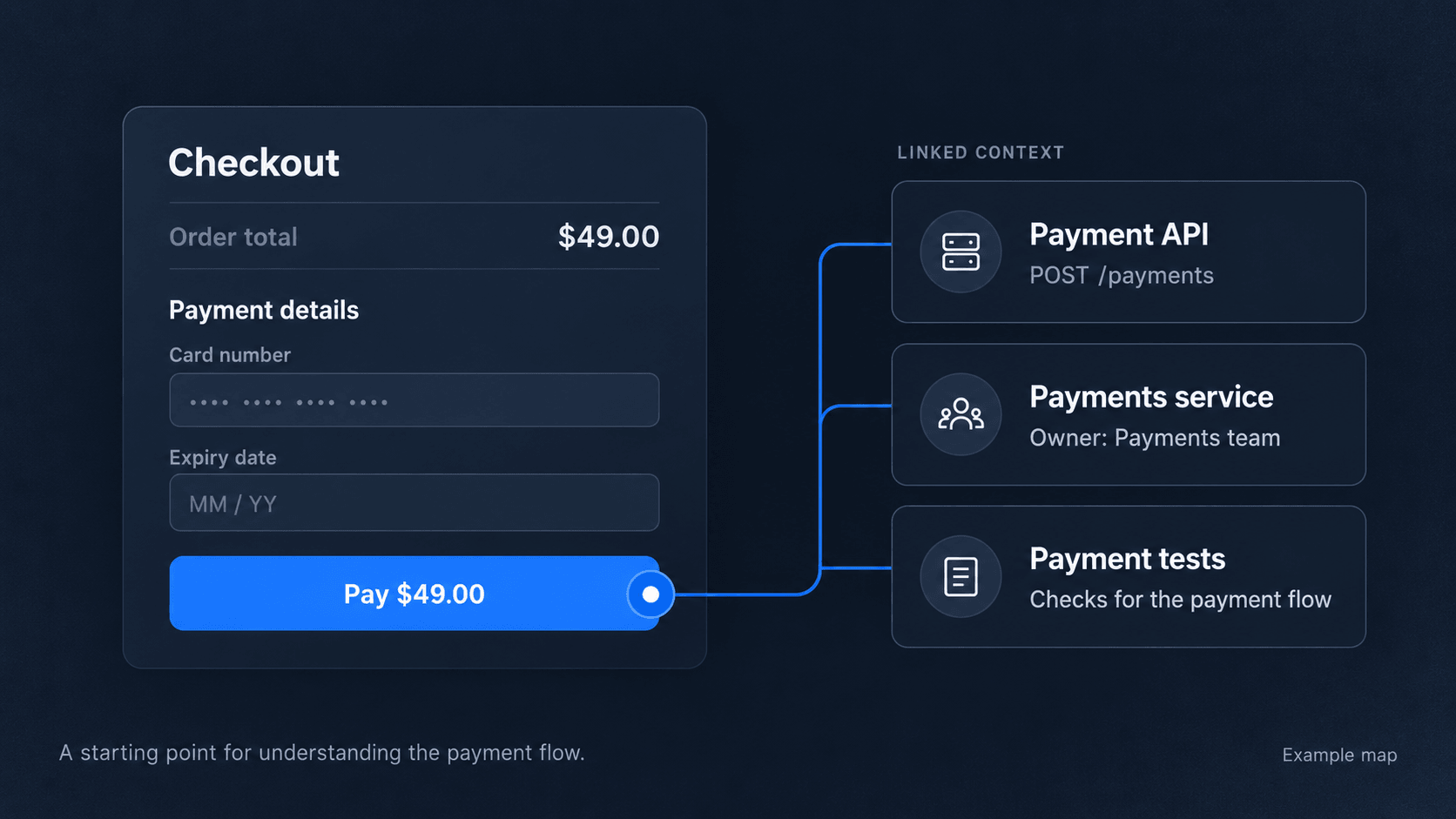
They start with the checkout screen. From there, they need to find the API it calls, the service handling the request, and the tests covering that behavior.
Each detail may already be documented. The missing piece might be the connection between them.
Make that path explicit: link the screen to the API, the API to its service, and the service to the relevant tests.
A diagram can show the flow. An API spec explains the request and response. A written note explains a decision or an edge case. Each answers a different question.
Keep documentation part of the change
When a change affects how something works, its explanation may need to change too.
Add a question to your pull request template:
Does this change affect an API spec, diagram, or runbook?
For example, if the payment API starts requiring a new field, update the specification and any examples that use it. If the payment flow changes, review the diagram describing that flow.
Give important information a clear owner so people know where to ask questions or suggest updates. Keeping files in the repo lets your team review documentation changes alongside the code.
Use CI to validate supported files, and review whether their contents still match the change. A file can pass validation and still describe outdated behavior.
Syncing an outdated diagram will publish an outdated diagram.
Where UIGraph fits
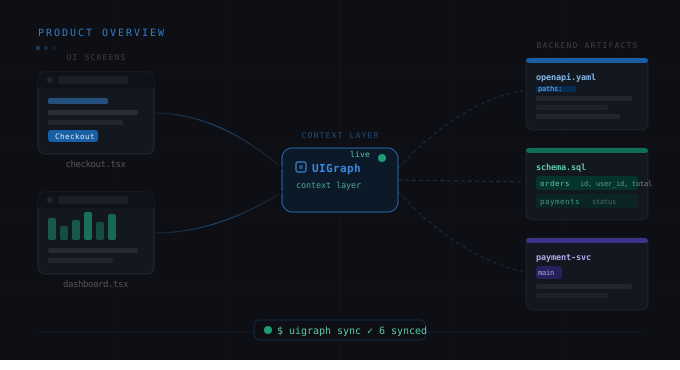
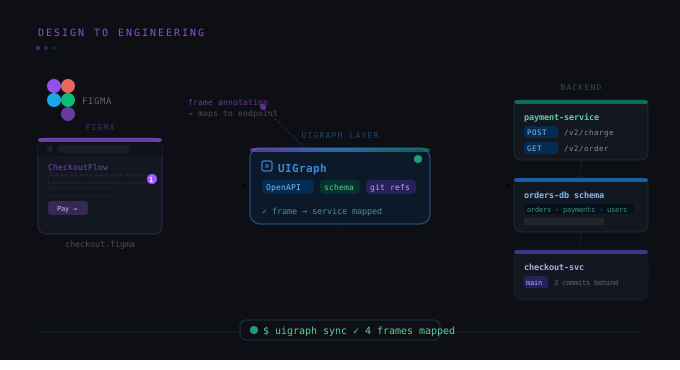
In UIGraph, your team can explore services, their supporting artifacts, and the connections between them.
Reference your existing files in a UIGraph YAML file, then use the CLI to sync supported content. You can run sync locally or add it to your CI/CD workflow.
You can also start from product screens. Add screenshots to a system map, then place a focal point on a button, form, or another area. A focal point is a marker linked to relevant engineering details.
For the payment example, you could place a focal point on the checkout button and link it to the payment API, the service handling it, and the tests covering the flow. Someone investigating that screen then has a starting point for exploring what happens behind it.
Your team maintains the information and its connections. UIGraph makes them available to explore together.
You do not need to document everything at once. Pick one flow your team asks about often. Explain how it works, connect the relevant details, and build from there.